
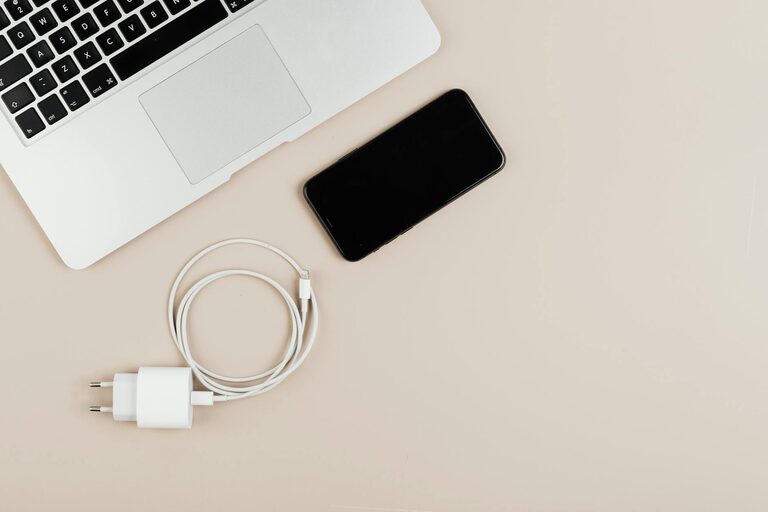
Keeping cables and chargers organized can seem like a daunting task, especially as we accumulate more electronic devices. From smartphones to laptops, gaming consoles to kitchen gadgets, each device usually comes with its own charger and associated cables. Without a proper system, these cords can quickly turn into a tangled, frustrating mess.
Fortunately, organizing cables and chargers neatly is easier than you might think. With just a few simple tools and habits, you can create a clean, efficient setup that saves time and reduces stress. In this post, we’ll explore practical strategies to manage your cords effectively.
Why Organize Cables and Chargers?
Before diving into organization techniques, it’s helpful to understand why this matters:
– Prevents damage: Tangled or twisted cables are more likely to fray or break.
– Saves time: Finding the right charger or cable becomes effortless.
– Reduces clutter: A tidy workspace or living area feels more comfortable.
– Improves safety: Less chance of tripping or accidental unplugging.
Step 1: Gather and Sort Your Cables
Start by collecting all your cables and chargers in one place. This gives you a clear picture of what you own.
Sort by Type and Length
Organize them into categories such as:
– Charging cables (e.g., USB-C, Lightning, Micro USB)
– Power adapters/chargers
– HDMI or video cables
– Audio cables
– Extension cords and power strips
Grouping by length can also be helpful. Longer cables can be stored separately from shorter ones to avoid confusion.
Check for Damage and Unused Items
While sorting, inspect each cable for wear and tear. Dispose of any damaged cables safely to avoid electrical hazards. Also, separate any cables or chargers you no longer use and consider donating, recycling, or discarding them responsibly.
Step 2: Choose the Right Storage Solutions
Once sorted, the next challenge is to store your cables and chargers neatly.
Use Cable Organizers and Holders
There are many affordable products designed to organize cables:
– Cable ties or Velcro straps: Keep individual cables coiled and secure.
– Cable clips or holders: Attach cables to desks or walls to prevent slipping.
– Drawer organizers: Compartmentalize cables within drawers.
– Cable boxes: Hide power strips and excess cables out of sight.
Repurpose Household Items
You don’t always need special purchases. Consider:
– Toilet paper rolls or paper towel tubes: Use as sleeves for individual cables.
– Muffin tins or ice cube trays: Hold small chargers and cables in compartments.
– Binder clips: Clamp onto a desk edge to hold charging cables.
Label Your Cables
Adding labels to each cable helps you identify them quickly. Use small stickers, masking tape, or pre-made cable labels. Write down the device the cable belongs to or its length/type.
Step 3: Organize Based on Usage
Think about which cables and chargers you use most frequently.
Keep Daily Use Items Accessible
– Place your everyday chargers near your workspace, bedside table, or living room.
– Use cable holders that keep cords ready without tangling.
Store Less Frequently Used Items Away
– Put spare or rarely used cables in labeled boxes or storage bins.
– Consider clear plastic containers so you can see the contents at a glance.
Step 4: Manage Charging Stations Effectively
Charging areas can quickly become cluttered hubs if not organized properly.
Create Designated Charging Spots
– Use a charging station or dock to charge multiple devices simultaneously.
– Keep cords short and manageable, avoiding excess slack.
Hide Excess Cable Lengths
Use cable wraps or ties to shorten long cables near plugs or devices.
Use Power Strips Wisely
– Secure power strips to desks or walls to avoid misplaced outlets.
– Avoid overloading them with too many devices for safety.
Step 5: Maintain Your Setup Regularly
Keeping cables organized is an ongoing task, not a one-time project.
Schedule Regular Checks
– Review your cables once every few months.
– Untangle, re-label, and discard unnecessary items.
Adopt Good Habits
– Coil cables properly after use.
– Return chargers to designated spots immediately.
– Avoid pulling cables harshly to extend their lifespan.
Bonus Tips for Cable Organization
– Color coding: Use colored bands or tape to distinguish types or ownership.
– Use wireless options when possible: Reduce cable clutter with wireless chargers or Bluetooth devices.
– Use wall-mounted hooks or pegboards: Great for hanging headphones or coiled cables visibly.
—
Organizing cables and chargers doesn’t have to be overwhelming. With these step-by-step tips, you can create a neat and functional system that makes using your devices easier and your space cleaner. Whether you’re tackling a home office, entertainment center, or kitchen gadgets, a little effort goes a long way in managing your tech accessories.
Try some of these methods today and enjoy the calm that comes with cable organization!